01
CUSTOM WEBHOOKS
Embeds for rules, updates, joins, leaves, and any other info. I make sure the embeds match and fit in with the overall server theme, colors, and logos.
Channels, bots, roles, permissions, and the details people usually skip. I handle the setup so you can get on with running the server.
Tell me what is messy. I will sort the channels, bots, roles, and permissions into something you can actually use.
Embeds for rules, updates, joins, leaves, and any other info. I make sure the embeds match and fit in with the overall server theme, colors, and logos.
Dyno, Tickets, Carl-bot, Wick, and other bots. I set the permissions first, then configure the commands.
Questions, roles, and channels are given to new members when they join, so they do not land in a server without an idea of where to start.
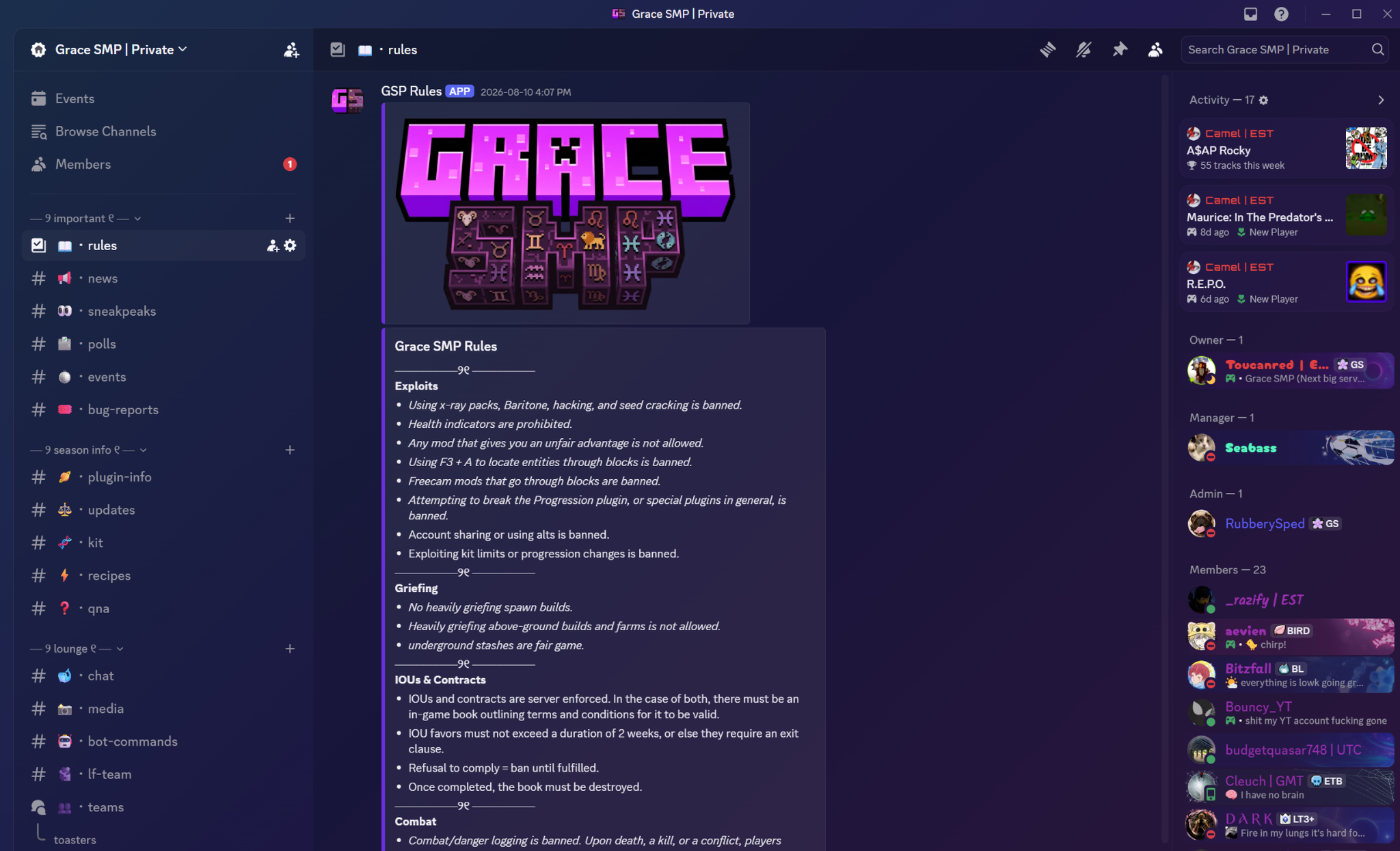
Readable categories, consistent names, emoji prefixes, topics, and permissions. Each channel gets a reason to exist.
A small, useful set for reactions, role menus, status, and server identity. No filler pack added just to use every slot.
Changes after launch: new channels, role updates, bot fixes, and permission checks when the server changes.
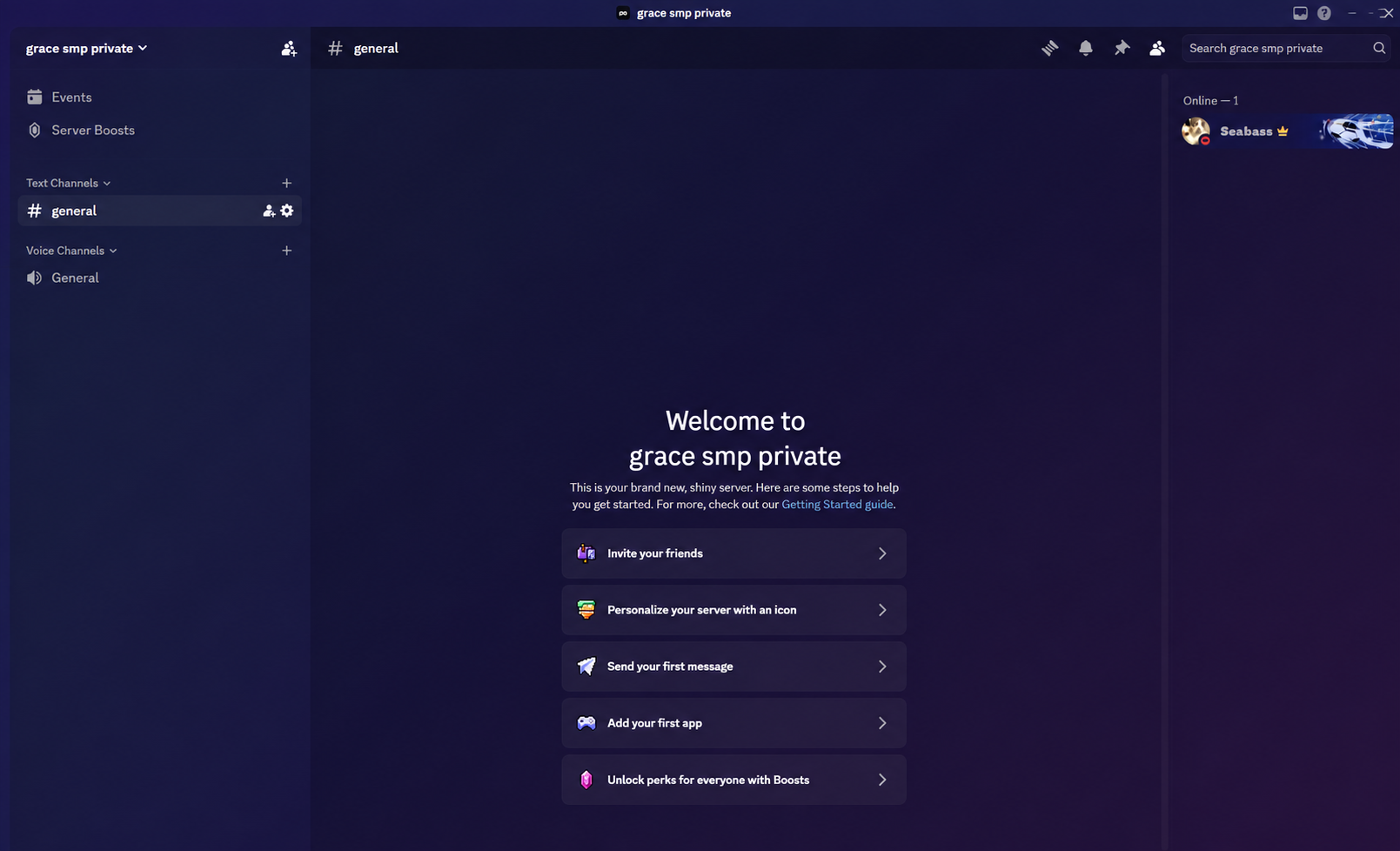
Move across the frame to compare. Left: the starting point. Right: the finished setup.
These are starting prices, not a mystery quote. If your server is unusual, use Custom and explain what you need.
years spent setting up Discord servers, fixing permissions, and cleaning up the parts nobody wants to deal with.
Built my first server for a gaming community. That is where I learned roles, permissions, and bot configuration the hard way.
Moved into larger setups: bot ecosystems, webhooks, onboarding flows, and servers with thousands of members.
Turned the work into clear packages and a repeatable process instead of starting from scratch every time.
New servers, fixes, and changes. The work is different every time, which is the point.
These are the systems I work with every day: clear channels, useful bots, readable announcements, and a server people can actually use.
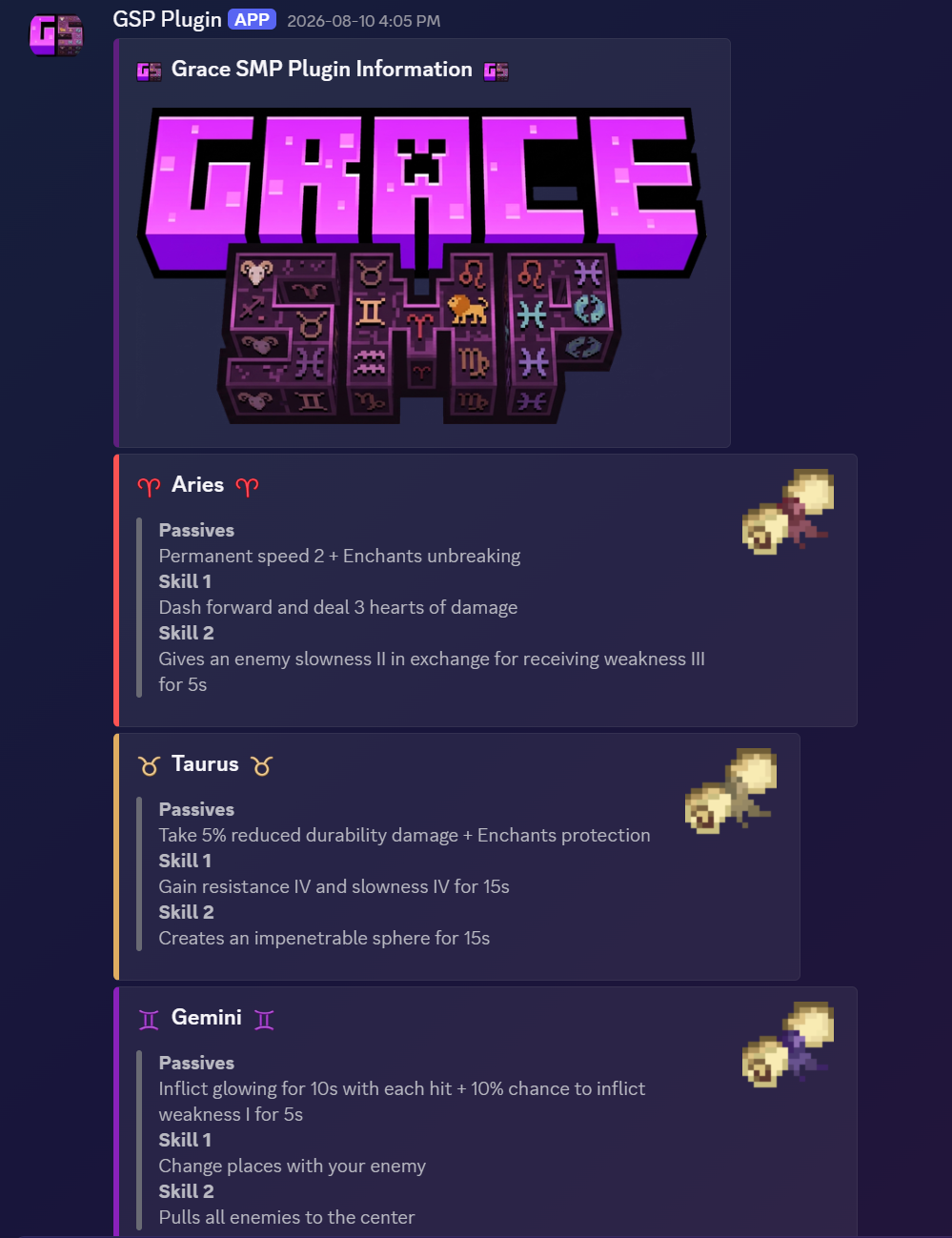
Embeds for rules, updates, joins, leaves, and any other info. I make sure the embeds match and fit in with the overall server theme, colors, and logos.
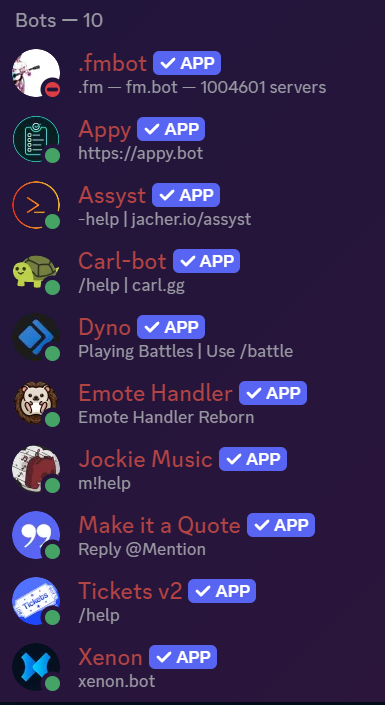
Dyno, Tickets, Carl-bot, Wick, and other bots. I set the permissions first, then configure the commands.
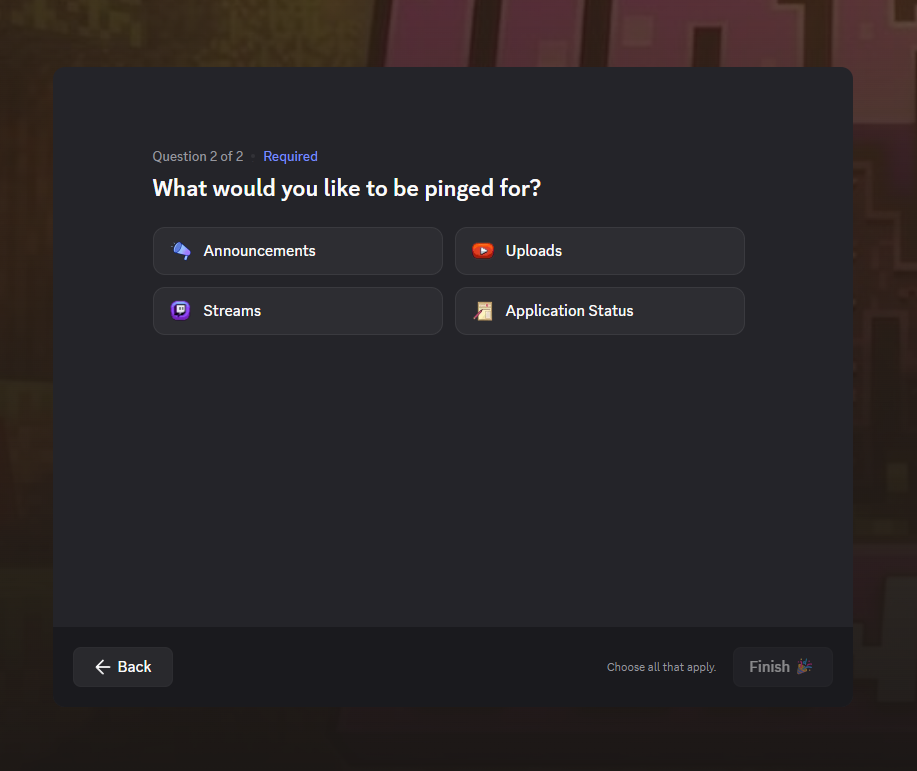
Questions, roles, and channels are given to new members when they join, so they do not land in a server without an idea of where to start.
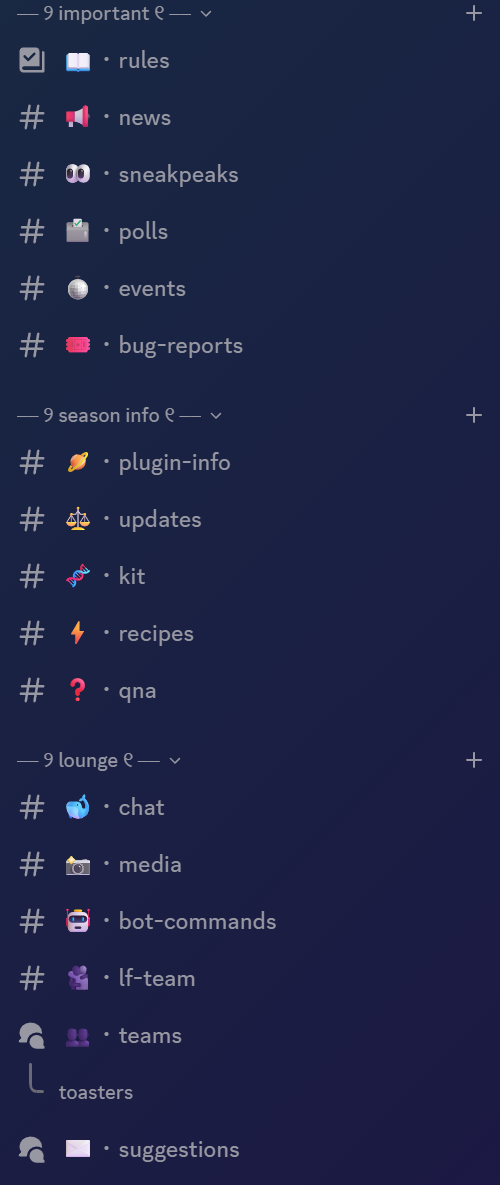
Categories, names, icons, permissions, and spacing that make the server easy to scan.
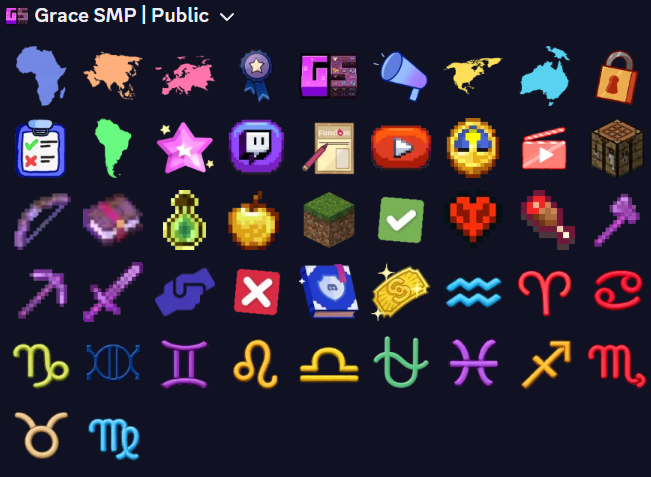
A small, useful set for reactions, role menus, status, and server identity.
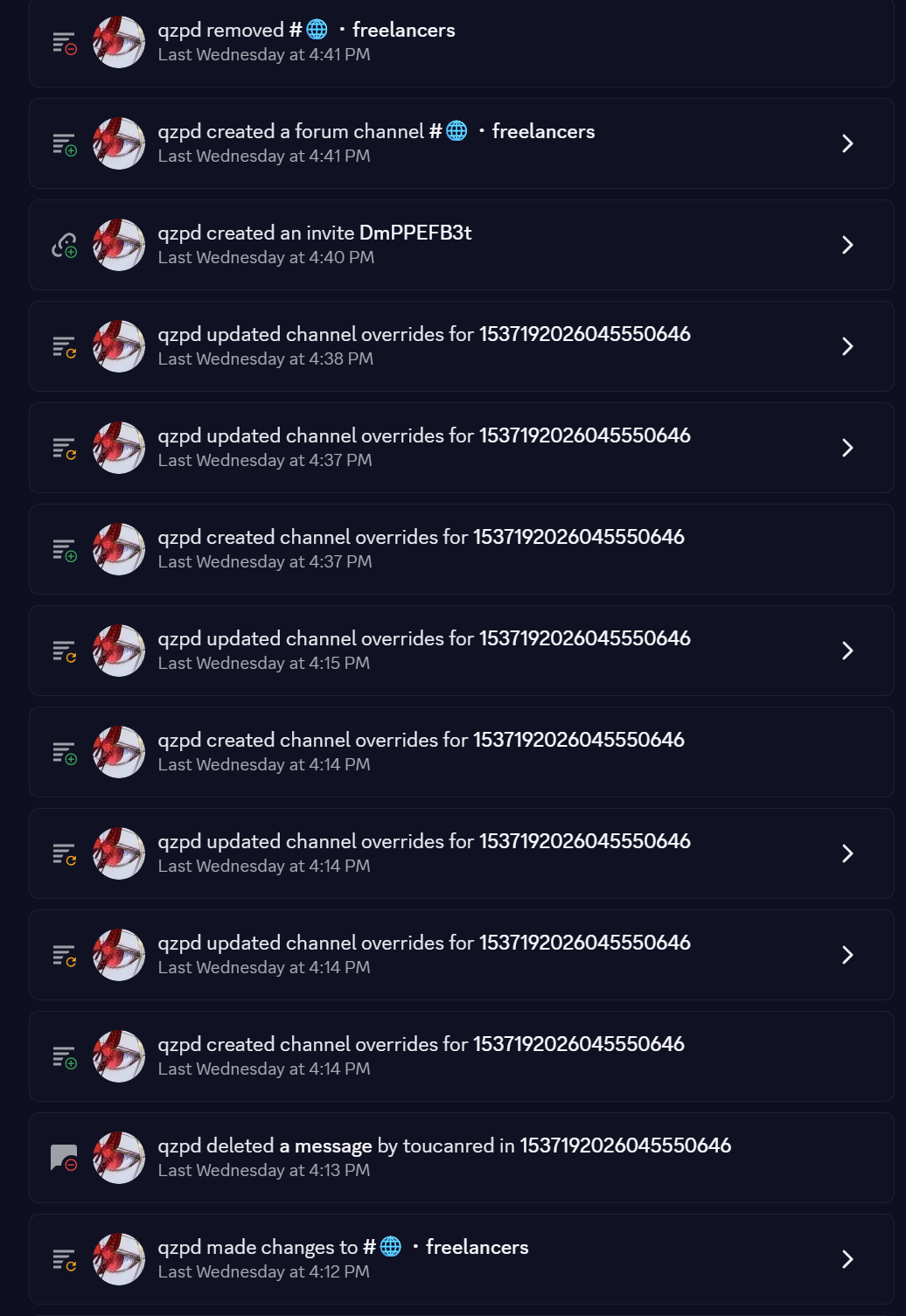
Updates, permission checks, channel changes, and fixes after the initial setup is finished.
Tell me what is broken, what you want changed, and which tier you are considering.